Install ModbusSim and start working in Starter.
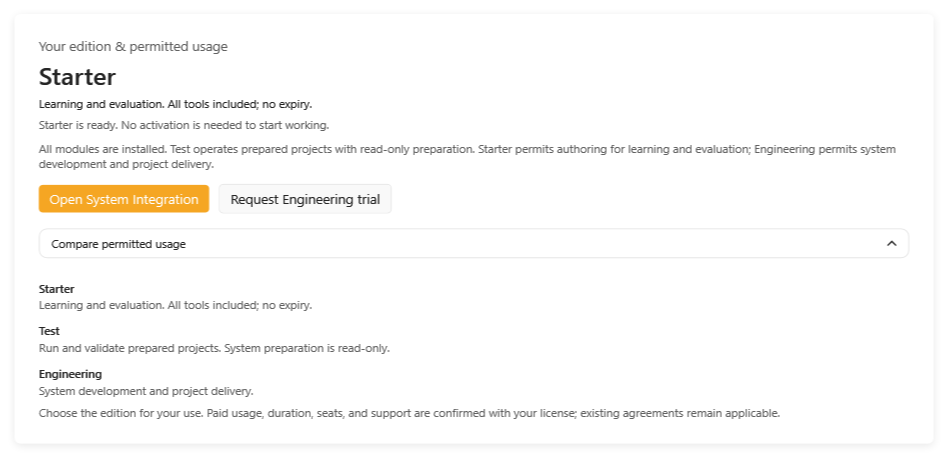
Request the Windows installer, then open ModbusSim in permanent Starter without a key. Every tool is available. Request a 14-day Engineering trial when you want to evaluate system development and project delivery.
Request access to the installer.
This request is for the Windows setup file. After approval, the installer link is sent by email.
14-day Engineering trial
Optional: copy your Machine ID from the License page and request an Engineering trial. Starter is already ready to use.
Install, start, then choose your usage
- Request the current Windows installer by email.
- First launch opens the working application in Starter without a key.
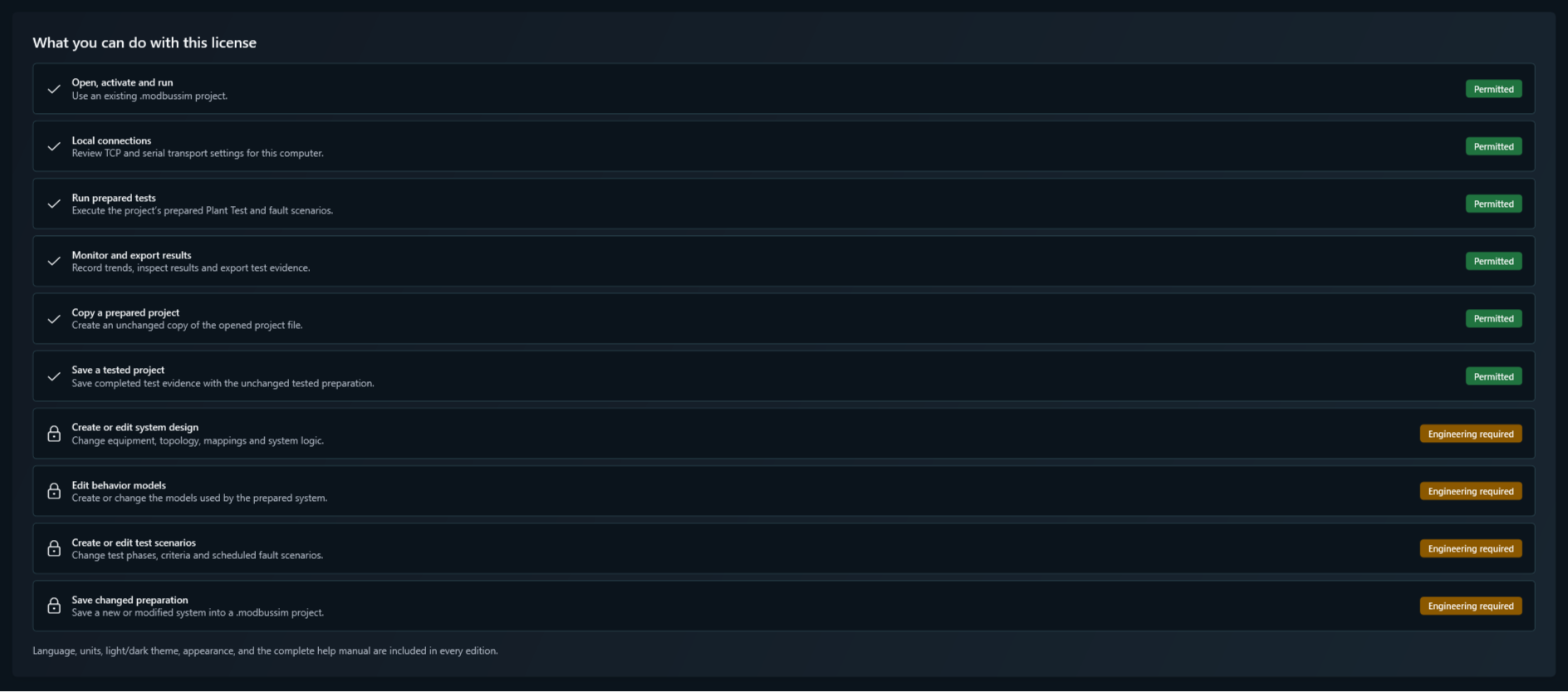
- Every edition installs the same modules. The License page shows which actions are permitted and which require Engineering.
- An optional 14-day Engineering trial requires the installed computer’s Machine ID.
- For an extension, include the current License ID, requested duration and reason.
- Test and Engineering prices, duration, machine scope, release coverage and support are confirmed by quotation.
A working application from the first launch.
Request the installer
Submit the form and receive the approved setup link by email.
Start in Starter
Install and open ModbusSim. Learn and evaluate with all tools; no key is needed.
Choose your usage
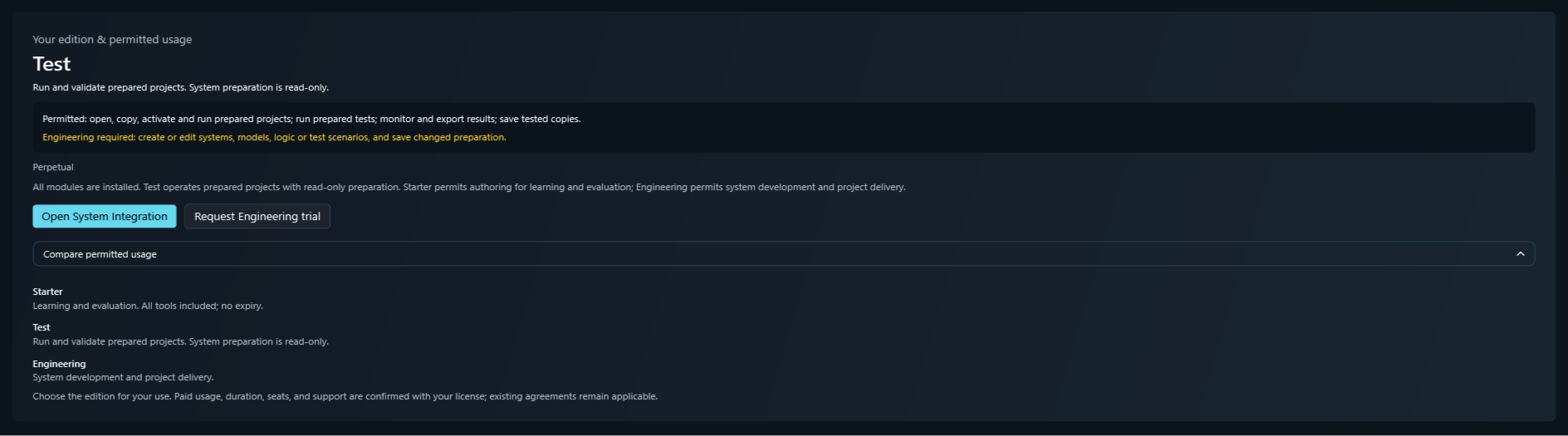
Use Test to run prepared projects with read-only preparation. Choose Engineering to create, edit and deliver systems.
Activate when needed
For a paid usage license or Engineering trial, send your Machine ID and activate the manually issued key.
Evaluate the controller-to-simulated-plant path.
The workflow below covers system preparation and testing. Engineering permits authoring; Starter permits it for learning and evaluation. In Test, open and activate an existing prepared project and run its saved scenarios.
Connect the endpoint
Configure Modbus TCP or RTU through the approved physical, loopback, or virtual adapter and confirm endpoint, Unit ID, and map.
Configure the plant
Enter the shared System design, then select the HVAC topology, compressors and equipment, water loops, I/O modules, and point mappings required by the project.
Compile and activate
Apply topology, compile Signal Logic, then review and activate the intended .modbussim project.
Define the project Plant Test
Use the design inherited from Configurator, then add timed Step or Ramp phases, mapped stimuli, measurable acceptance criteria, and optional Alarm/Fault Injection scenarios.
Save and run one project
Save the current test scenario in the same .modbussim project, pass preflight, and execute it against the active system while retaining complete evidence.
Check the result
Review criterion outcomes, synchronized trends, events, communication evidence, and the exported test report.
Analyze and tune the plant system
Use retained evidence to compare bounded parameter candidates and export only an inactive tuning proposal for engineering review.
Choose your language and theme.
All languages, light and dark themes, and accent colors are included in Starter, Test, Engineering and the trial.
Your permitted usage

Test permits opening, copying, activating and running prepared .modbussim projects, adjusting local TCP/serial settings, running saved tests, and exporting results or unchanged tested copies. Creating or editing systems, models, mappings, logic or test scenarios and saving changed preparation require Engineering. Existing agreements remain applicable.
See your action permissions

Test permits opening, copying, activating and running prepared .modbussim projects, adjusting local TCP/serial settings, running saved tests, and exporting results or unchanged tested copies. Creating or editing systems, models, mappings, logic or test scenarios and saving changed preparation require Engineering. Existing agreements remain applicable.
Light and dark themes

All languages, light and dark themes, and accent colors are included in Starter, Test, Engineering and the trial.
Installer delivery is handled by email.
The installer link is sent after review. Starter needs no key. Trial and paid usage keys are issued separately after the Machine ID and requested scope are confirmed.